OneDrive Integration

Are you already using OneDrive for contract documents, but struggling to keep track of deadlines, responsibilities, and contract content?

‍With
the ContractHero integration, you can easily import existing contract documents and transition them into a structured contract management system without having to change your usual workflows.

Book a demo

Hundreds of leading companies manage their contracts with ContractHero

The challenge

The documents are available, but the control system is missing

OneDrive is an integral part of daily document management in many companies. For simple storage, this is often sufficient. However, when it comes to managing contract deadlines, clearly assigning responsibilities, or viewing the current status of contracts, basic filing systems quickly reach their limits. At the same time, many companies are hesitant to adopt the solution because they worry that migrating existing contract documents will be time-consuming and labor-intensive.

Connect Contract Management to OneDrive

The OneDrive integration makes it easy to get started with professional contract management using ContractHero. Existing contract documents from OneDrive can be imported seamlessly, while all management functions are handled centrally within ContractHero. At the same time, the documents remain available in OneDrive, allowing you to continue using your existing workflows on a daily basis.

How it works in practice

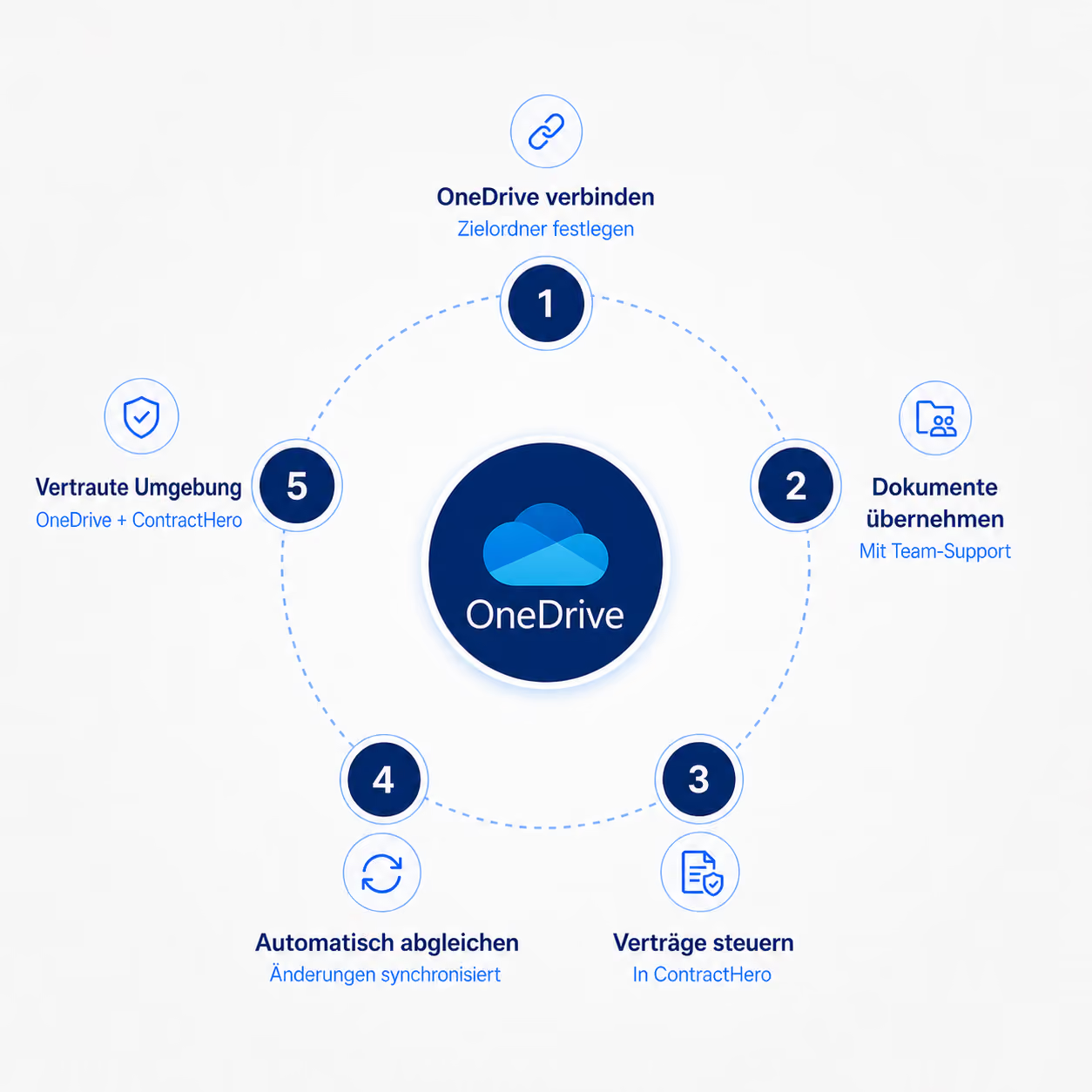
Connect OneDrive once:
Specify the folder to which contract documents should be synced.
Import contract documents:
With the help of our team, you can import your contract portfolios into ContractHero. 
Centralized contract management:
‍Newcontracts are created and actively managed centrally in ContractHero.
Automatically sync documents:
‍Uploads
, name changes, or deletions are automatically synced to OneDrive.
Continue using your familiar environment:
Documents remain available in OneDrive; information and controls are located in ContractHero.
Schedule a demo

What exactly can you expect?

Get started right away

Import existing contract documents so that you can get started without having to re-enter them manually.

Stay in sync

Changes are automatically applied to ensure that contract documents remain up to date.

Gain an overview

Companies gain a clear overview of contract data without having to completely overhaul their existing document management system.

Provide additional protection

Contract documents remain reliably available in OneDrive as an additional, up-to-date copy at
.

What our customers say

“After just two months, the investment in ContractHero had already paid for itself”

Jan Kaeten
Group CFO at The Relevance Group

“It used to take 10 to 15 minutes to find a contract—now we can find everything in just a few seconds.”

Maria Kruber
SVP/CFO at Wire

“Today, we know exactly which contracts are active, which deadlines are approaching, and which payments are due. This saves us a lot of time and gives us peace of mind.”

Daniel Fischer
Head of Finance at empact

“In our first year, we saved over €100,000 with ContractHero.”

Stefan Truthän
Managing Partner at hhpberlin

"ContractHero is user-friendly, efficient, and offers full transparency —especially when it comes to finances."

Ferdinand Neumann
Head of Finance & Controlling at DINA

"We can now find contracts in less than a minute —ten times faster than before."

Florian Bell
Managing Director at Natsana GmbH

“With ContractHero, we save about 20% of our working time.” “With ContractHero
, we can now answer contract-related questions in under three minutes and save about 100 hours of manual work per year.” “in the legal team.”

Dr. Veronika von Heise-Rotenburg
CFO & Managing Director at Everphone

"With ContractHero, we save about 20% of our legal team's working hours."

Lukas Berg
Legal Counsel at Schüttflix GmbH
Recommendations

Top rated on OMR Reviews, Trusted, G2, and others

Our customers value ContractHero for efficiency, reliability and first-class support.

A clear overview of your contracts in 30 minutes – live in the demo

Book a demo

Frequently asked questions

What is synced between ContractHero and OneDrive?

All contract documents managed in ContractHero can also be stored in OneDrive. When a document is uploaded, renamed, or deleted in ContractHero, that change is also reflected in OneDrive.

What happens when a document is edited directly in OneDrive?

Changes made directly in OneDrive are not synced back to ContractHero. During the next synchronization, the version in ContractHero may therefore overwrite these changes. ContractHero thus remains the primary system for contract management and maintaining the latest document versions.

Can I choose where to save files in OneDrive?

Yes. You decide exactly where the contract documents should be stored in OneDrive.

What are the requirements for OneDrive integration?

Setup is performed at the Microsoft 365 level and therefore requires a tenant admin for the initial configuration. Once the integration is complete, you can specify which OneDrive folder should be used for storage.

Can existing contract documents be imported from OneDrive?

Yes. Existing contract documents can be imported into ContractHero with the help of our team. This makes it easier to get started and reduces the effort involved in migrating your existing contracts.

What is the added value of integration compared to simply storing documents in OneDrive?

OneDrive remains the familiar environment for documents, while ContractHero takes over the active management of contracts. This makes deadlines, responsibilities, and contract information much more accessible without having to immediately replace existing structures.

How secure is the additional storage in OneDrive?

This integration ensures that contract documents remain available as up-to-date copies in OneDrive. This allows companies to create a reliable additional layer of security for their documents within the familiar Microsoft environment and reduces the risk of relying on a single location for contract documents.