


.avif)
%20(1).png)
.webp)








Top rated on OMR Reviews, Trusted, G2, and others
Our customers value ContractHero for efficiency, reliability and first-class support.


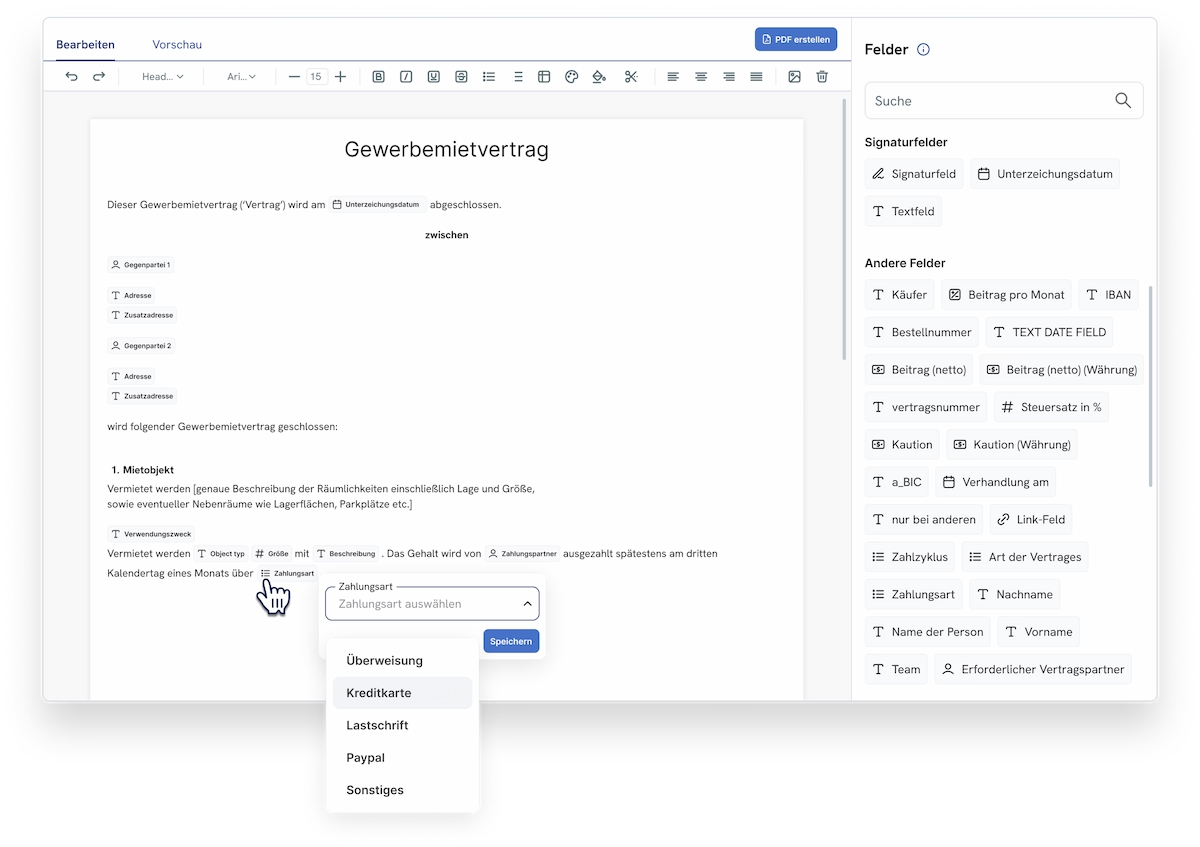
Create contracts using verified templates, either in ContractHero or directly in the Microsoft Word add-in. Fields are filled in automatically, every version is saved, and everything is stored centrally in one place. This ensures that every contract is created quickly and consistently.










.webp)
Everyday Life in a Small or Medium-Sized Business: Three Situations Where Poor Contract Drafting Costs Time and Security—and How ContractHero Solves Them
Our contract tool can store contracts, but it can't create them properly. For redlining and comments, we end up exporting them back to Word anyway.

We pay for a CLM, but we still draft contracts in Word and then go through the tedious process of uploading them.
Every time I create a new supplier contract, I have to re-enter the same information: contracting parties, addresses, terms, and amounts.
Create documents directly in the system using verified templates with automatically populated data fields. This allows you to draft contracts more quickly, consistently, and in compliance with legal requirements.
"The results so far—particularly the more efficient contract creation and management—have met my personal expectations."


With ContractHero, you can create contracts directly on the platform or using the Microsoft Word add-in, with all the features you're familiar with: formatting, redlining, and comments.
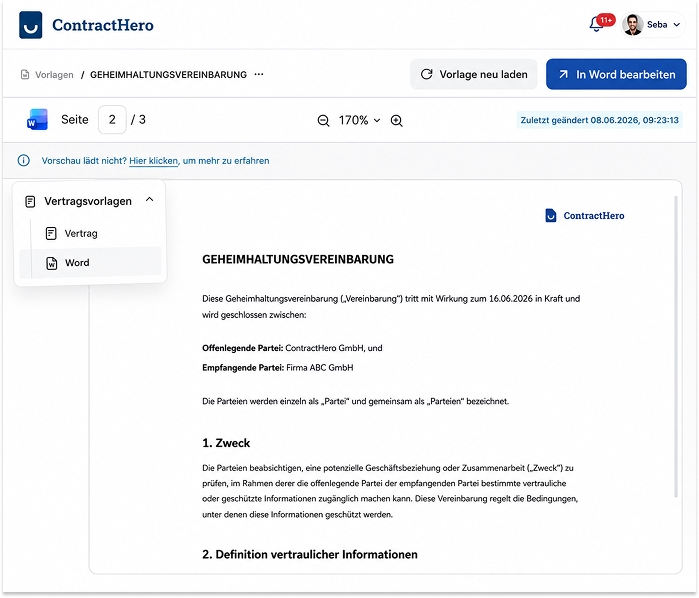

ContractHero automatically logs every change and comment. This ensures that the entire history of the contract is traceable and stored in one central location.
“ContractHero helps us map out the entire contract workflow. We can also upload both drafts and individual agreements.”


What changes when contracts are created from reviewed templates, edited securely in Word, and managed centrally in one place.

Enterprise-level security standards with ISO 27001 certification, GDPR compliance, and hosting in Germany, as well as clear roles, permissions, and a traceable change history for audit security.


Our customers value ContractHero for efficiency, reliability and first-class support.


_BestSupport_QualityOfSupport%20(5).png)



You can create contracts directly on the platform or using the Microsoft Word add-in, in each case using verified templates with automatically populated fields. This ensures that every contract is created quickly, consistently, and stored centrally.
Yes. With the Microsoft Word add-in, you can format, redline, and add comments as usual, and then sync the contract directly to ContractHero without switching tools.
Yes. Contracts are generated from validated templates in which recurring fields are filled in automatically. This reduces errors and ensures that contracts are uniform and consistent.
Stored data is automatically inserted into the appropriate fields in the template, such as contracting parties, amounts, or terms. You'll spend less time typing and avoid data entry errors.
Yes. Redlining, comments, and formatting enable collaborative review; every change is versioned and traceable.
Yes. ContractHero automatically assigns version numbers to each contract and centrally stores all versions, complete with timestamps and traceability.
The contract continues to be processed within the same system: approval, electronic signature, and management of deadlines and dates—all without a change in media or the need for separate tools.
Thanks to templates and automatically populated fields, you can create a contract in minutes instead of having to work through multiple Word files and make manual adjustments.